PPOverhaul
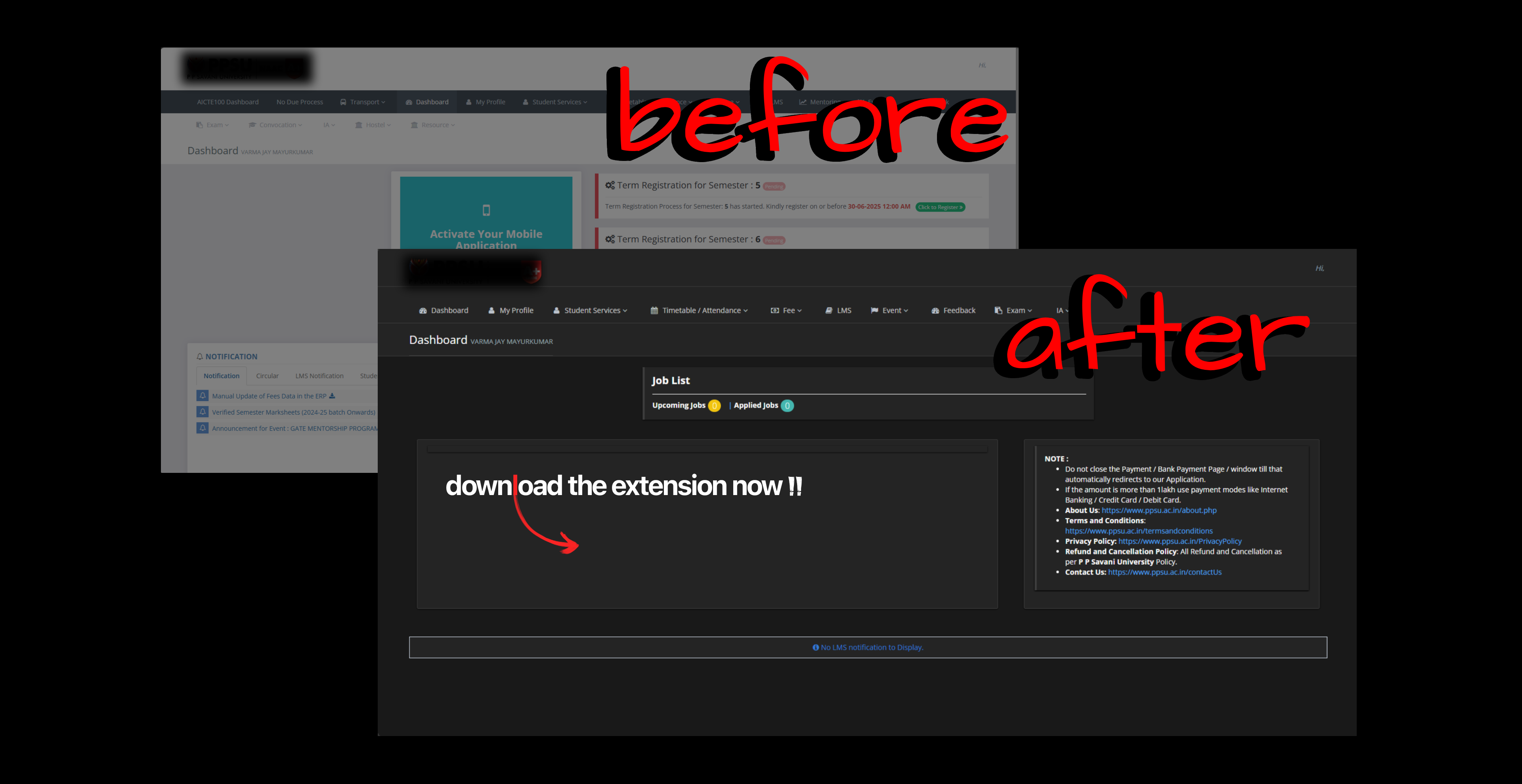
PPOverhaul is a browser extension designed to enhance the student experience on the PPSU ERP System
(erp.ppsu.ac.in).
Features
- Auto-login: Seamlessly log into the ERP system as a student without manual entry.
- Dark Mode: A soothing dark theme that makes browsing the ERP system easier on the
eyes.
- Decluttering: Cleans up the interface by removing unnecessary elements, providing a
cleaner and more focused user experience.
- Customizable Settings: Easily toggle features on or off via the extension popup.
Installation
- Clone or download this repository to your local machine.
- Open your Chromium-based browser (Chrome, Edge, Brave, etc.) and navigate to the Extensions page
(e.g.,
chrome://extensions/).
- Enable Developer mode in the top right corner.
- Click on Load unpacked and select the directory containing the extension files.
- The extension should now be installed and active!
Usage
- Click on the extension icon in your browser toolbar to open the settings popup.
- Toggle the available options according to your preferences.
- Navigate to erp.ppsu.ac.in to see the overhaul in action.
Project Structure
- manifest.json: Configuration and metadata for the extension.
- content.js: Main script that runs on the ERP pages to apply changes, auto-login,
and inject features.
- dashboard.css: Styles for the dark mode and decluttering on the main ERP system.
- popup.html, popup.css, popup.js: The user interface and logic for the extension's
settings menu.
- lightrays.js: Additional script for visual enhancements.
Note: This is a community-developed extension and is not officially affiliated with
PPSU.